Lucas Barbosa
Blockbit integration with Wazuh or any other SIEM is based on referral via Syslog or Netflow.
In Blockbit:
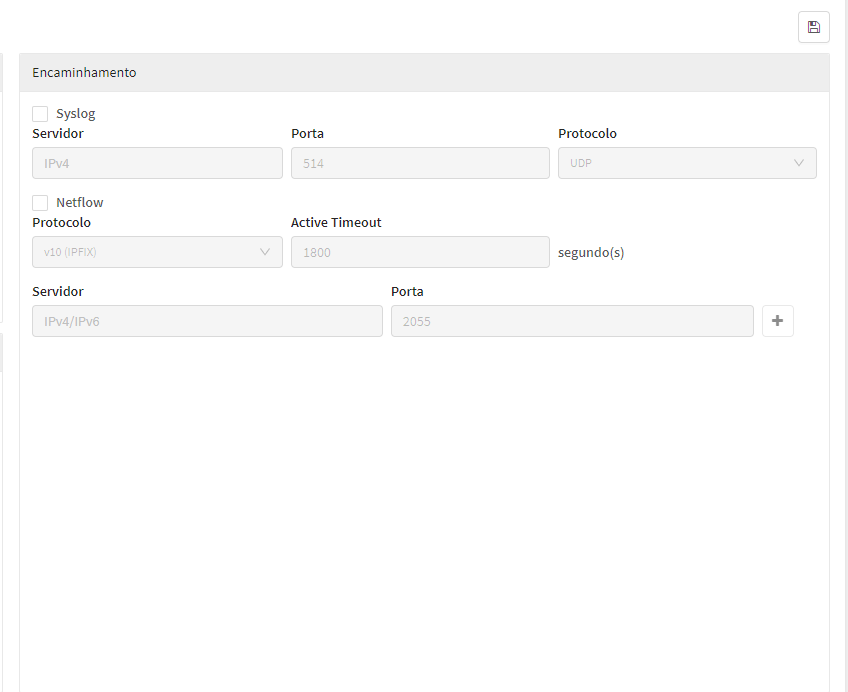
Configure Syslog in Blockbit:
- Access the Blockbit administration panel at: https://192.168.1.X:98.
- Go to Log Settings
Configurações > Sistema > Logging. - Add a new Syslog server and port (usually 514) with the IP address of your Wazuh server.
At Wazuh:
- In Wazuh, make sure the log entry is created, add an input (localfile) to the configuration file (ossec.conf) to monitor the file or port where Blockbit logs will be received.
Creating decoders and custom rules:
- If the Blockbit log format is not recognized by the default Wazuh decoders, a custom decoder will need to be created that extracts the relevant fields (such as IP of origin, event type, severity, etc.).
With the decoder in hand, also create alert rules (in the Wazuh rule file) for Blockbit events to generate alerts according to the criticality of incidents.