Hello,
Below is a detailed step by step for setting up a VPN IPsec site-to-site between a Blockbit NGFW and a pfSense:
Enable service:
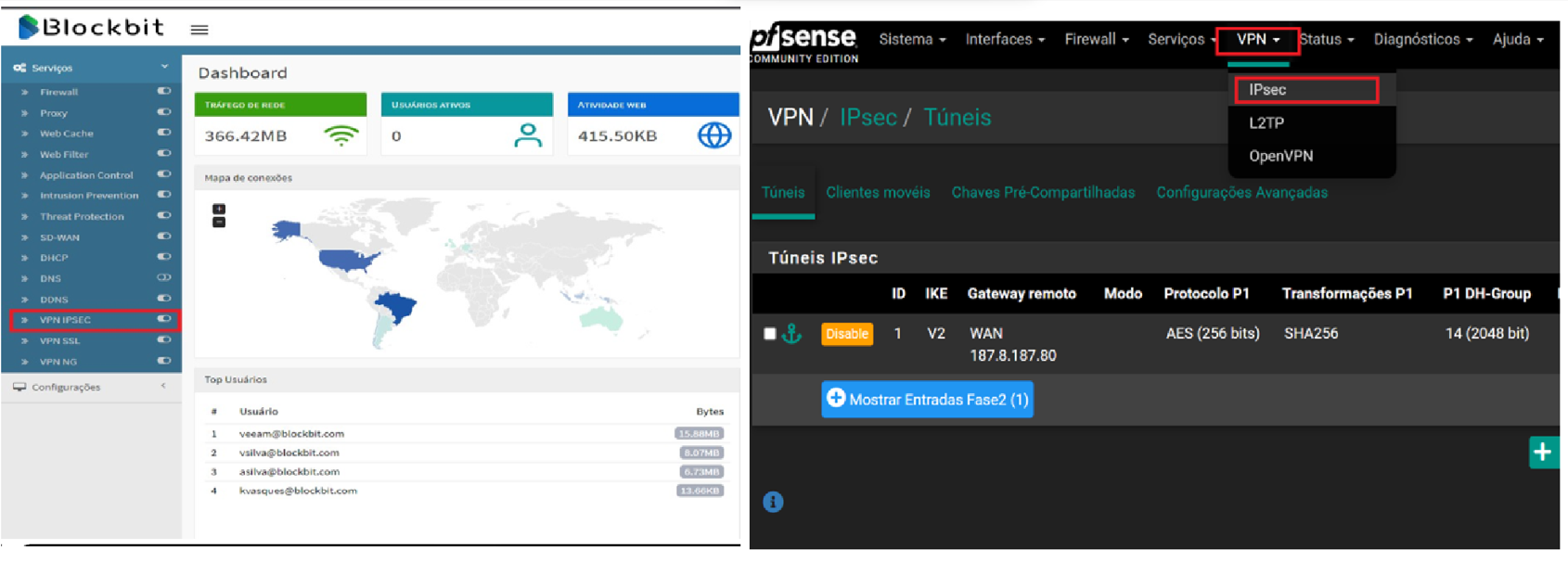
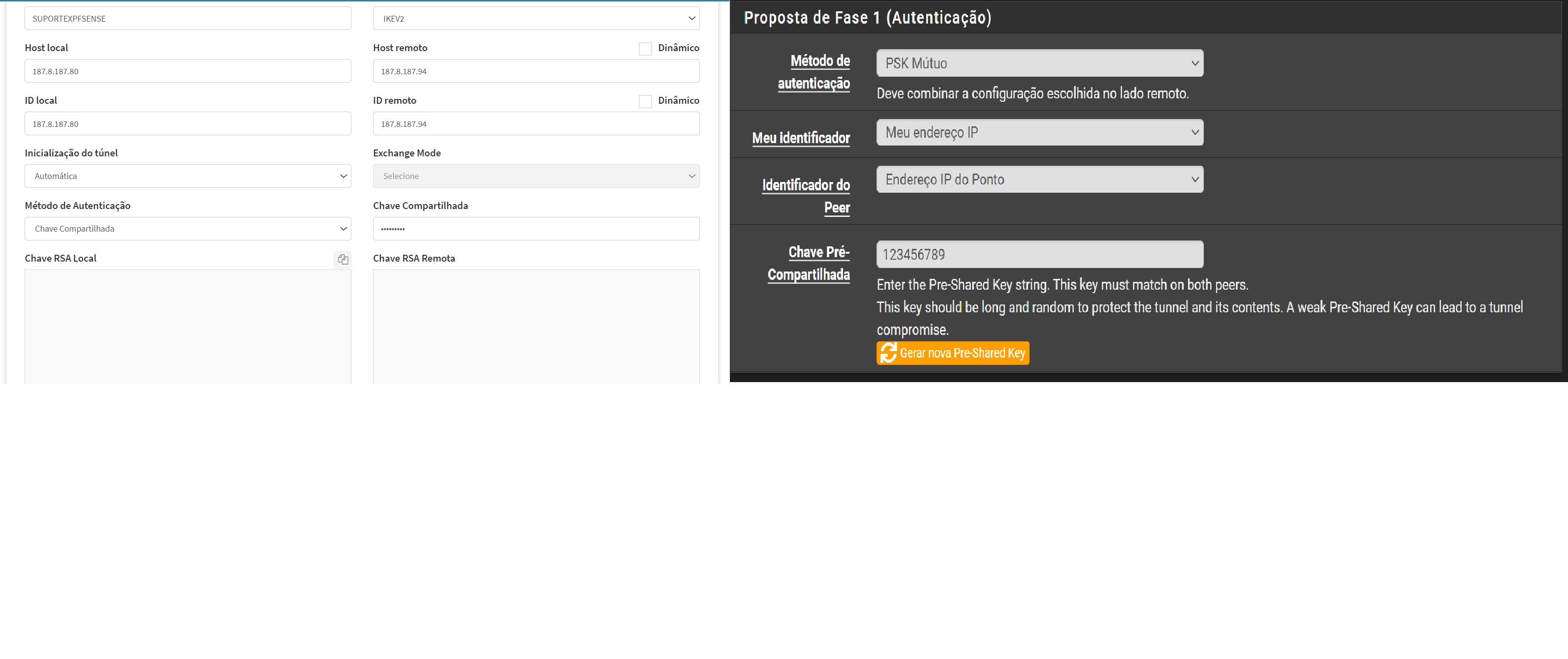
Make the settings in the peer
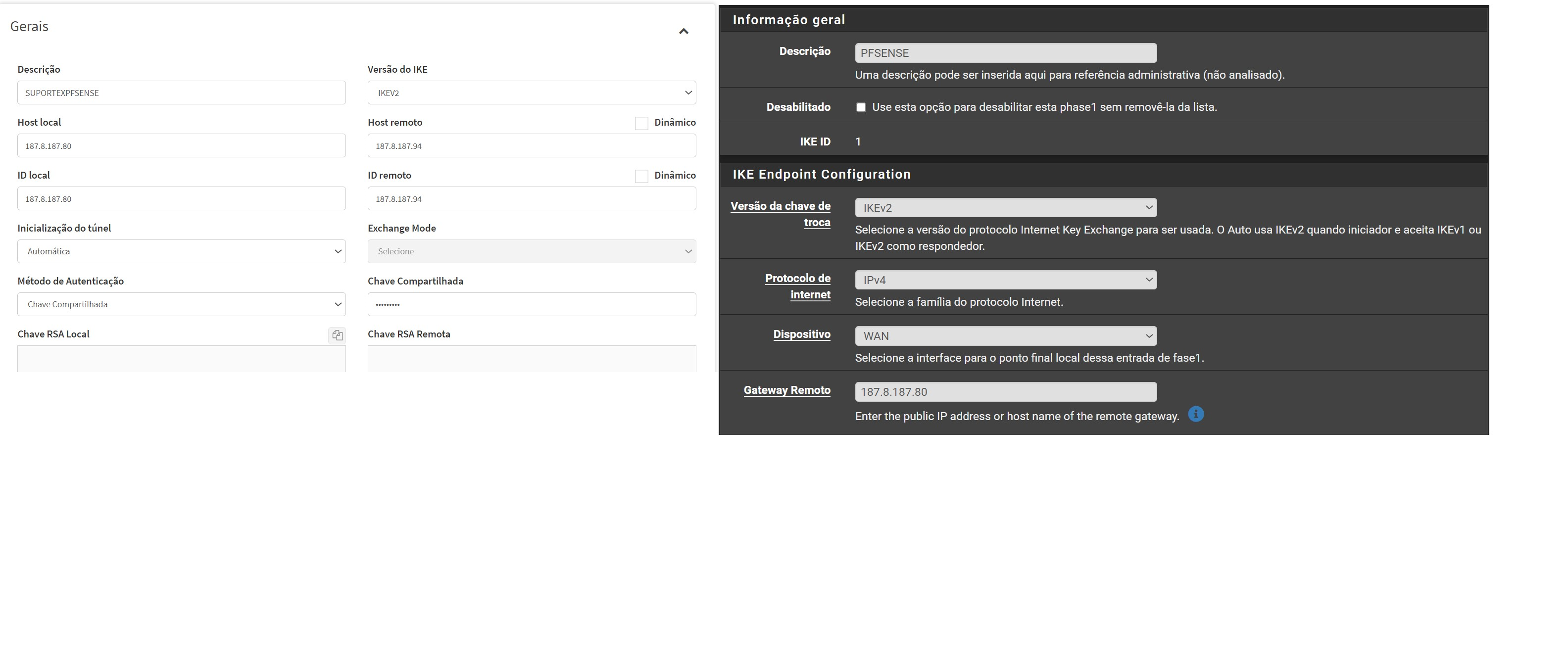
In the part of “Gateway Remote” we insert the IP Address of the other end in the case put “187.887.80” that would be the NGFW of the Lab in question.
Set your PSK
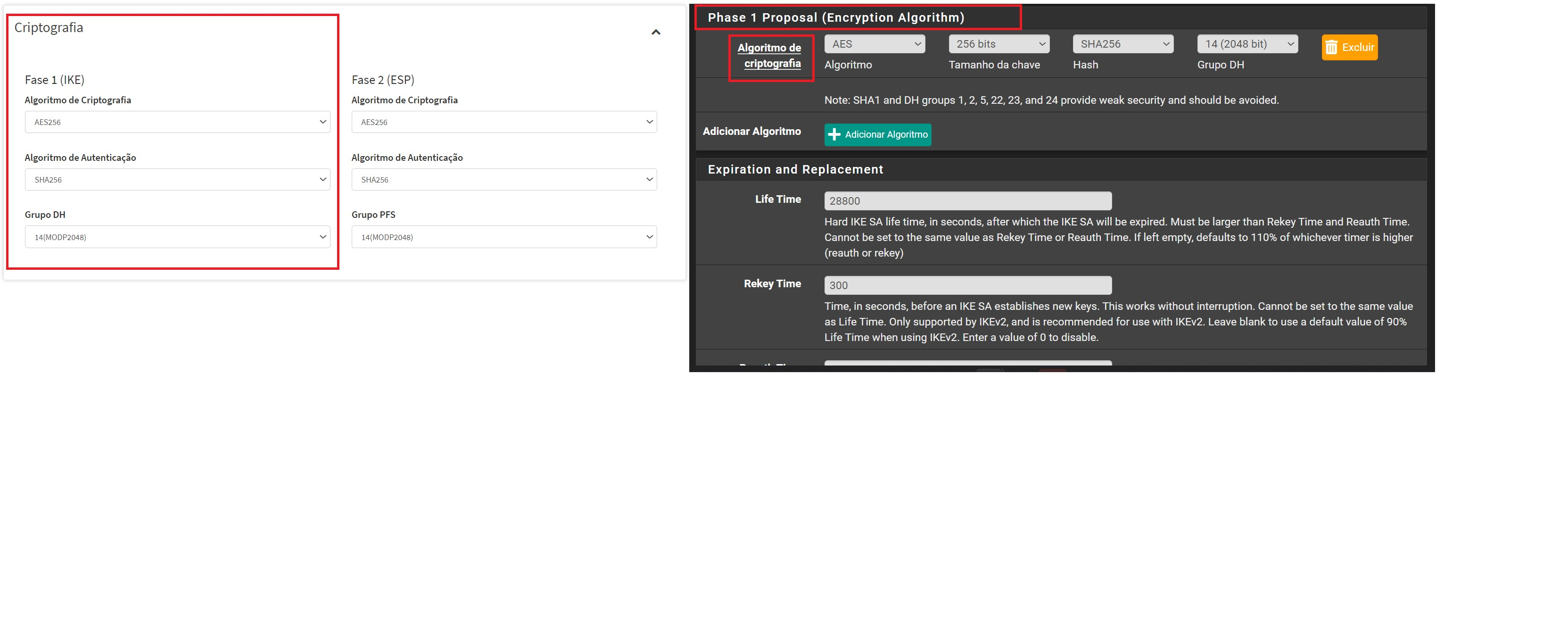
Configure Phase 1
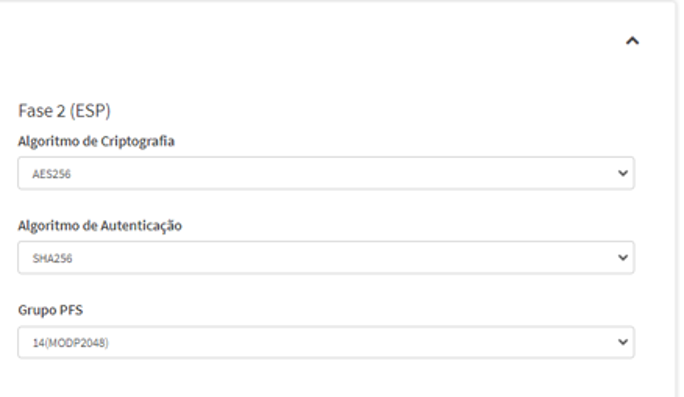
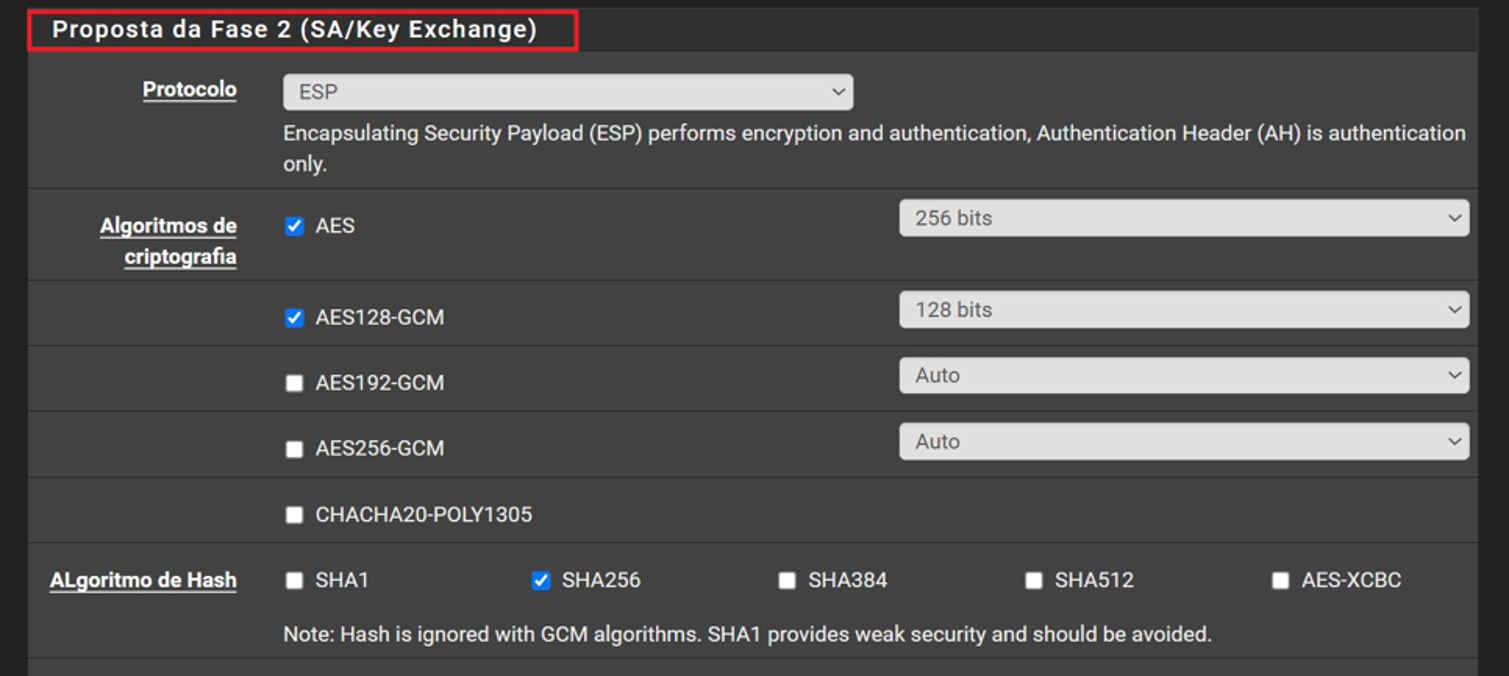
Configure Phase 2
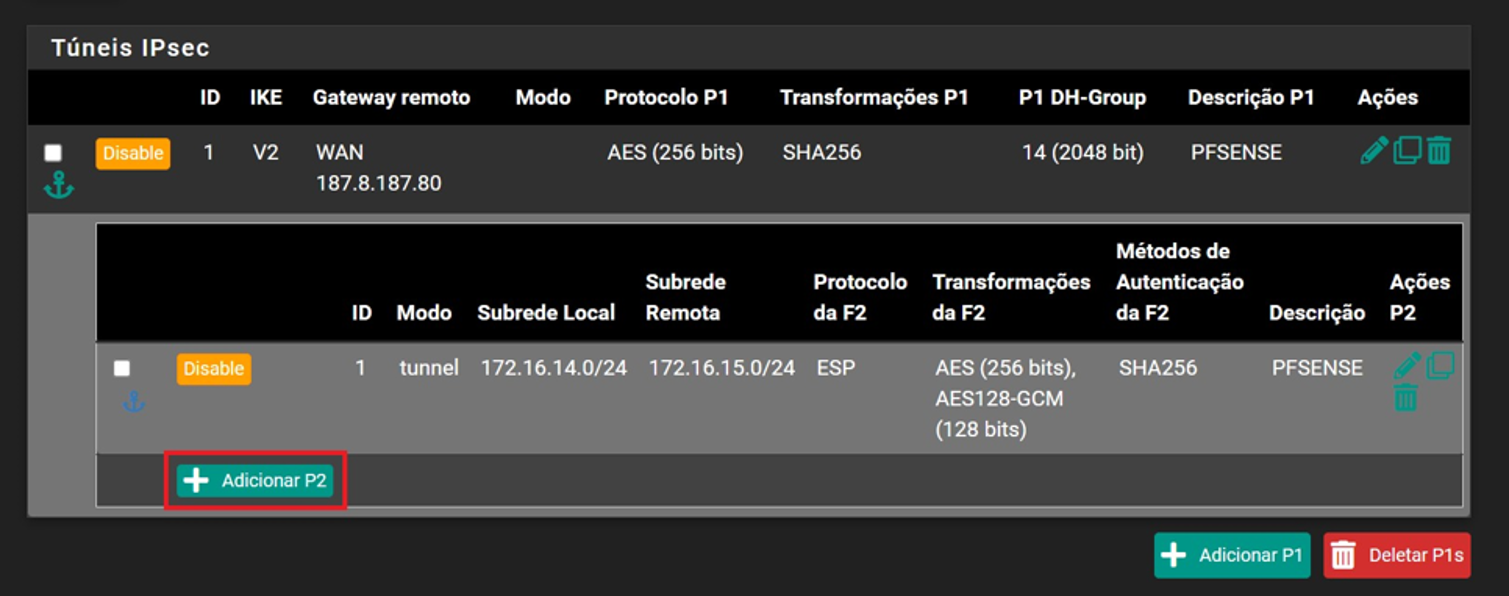
Phase 2 in pfsense we need to create another configuration as follows by clicking on the tunnel and selecting the “Add P2” button
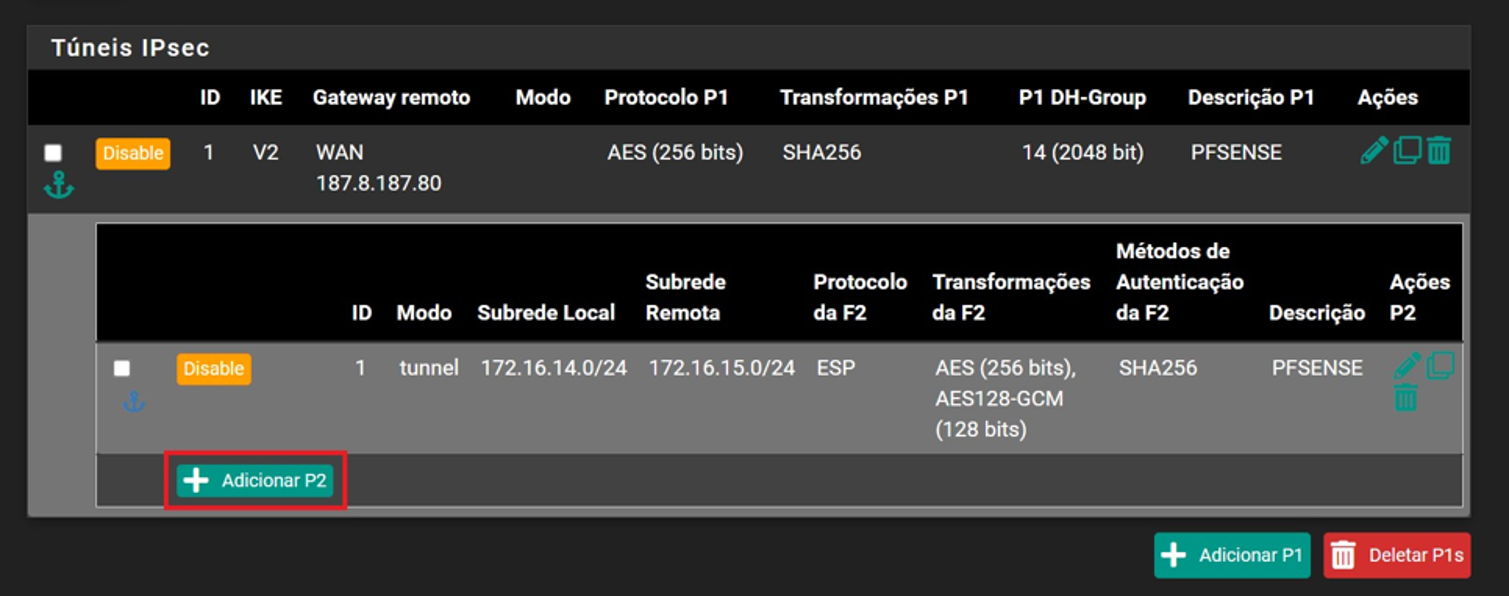
By clicking on this option we will be directed to other configurations similar to phase 1, but to put the information in phase 2
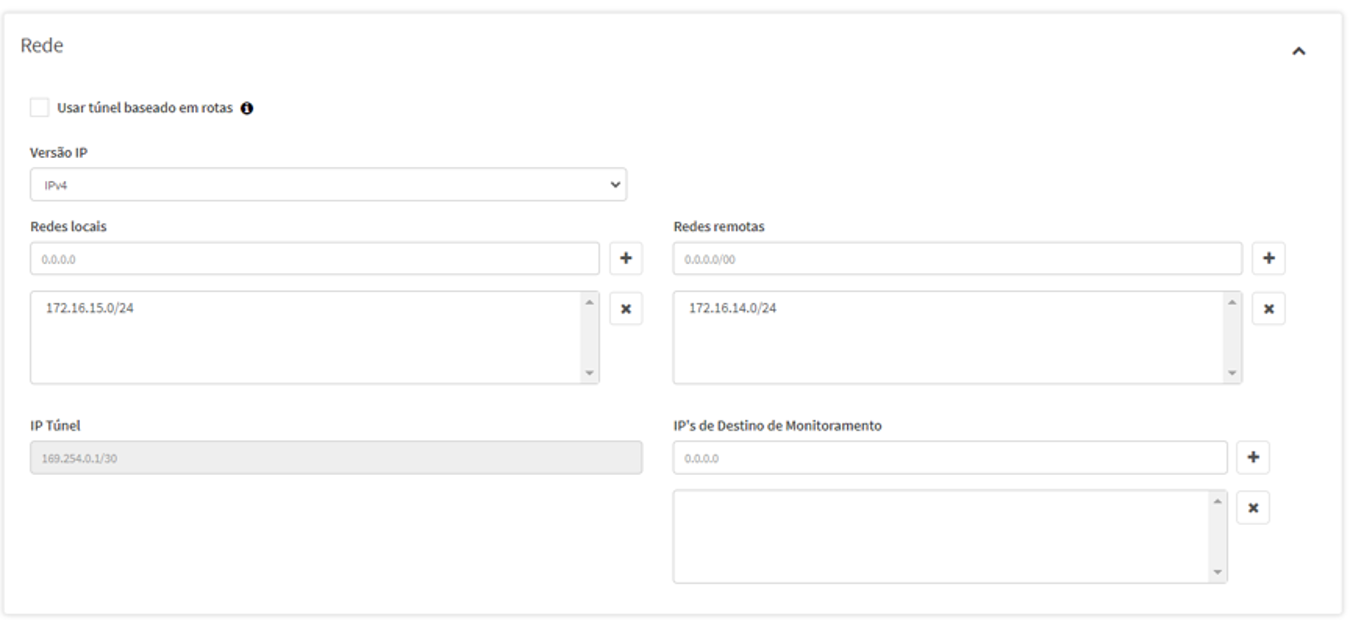
Network declaration
In Pfsense we declare the networks in phase 2 by clicking on the tunnel and selecting the “Add P2” button
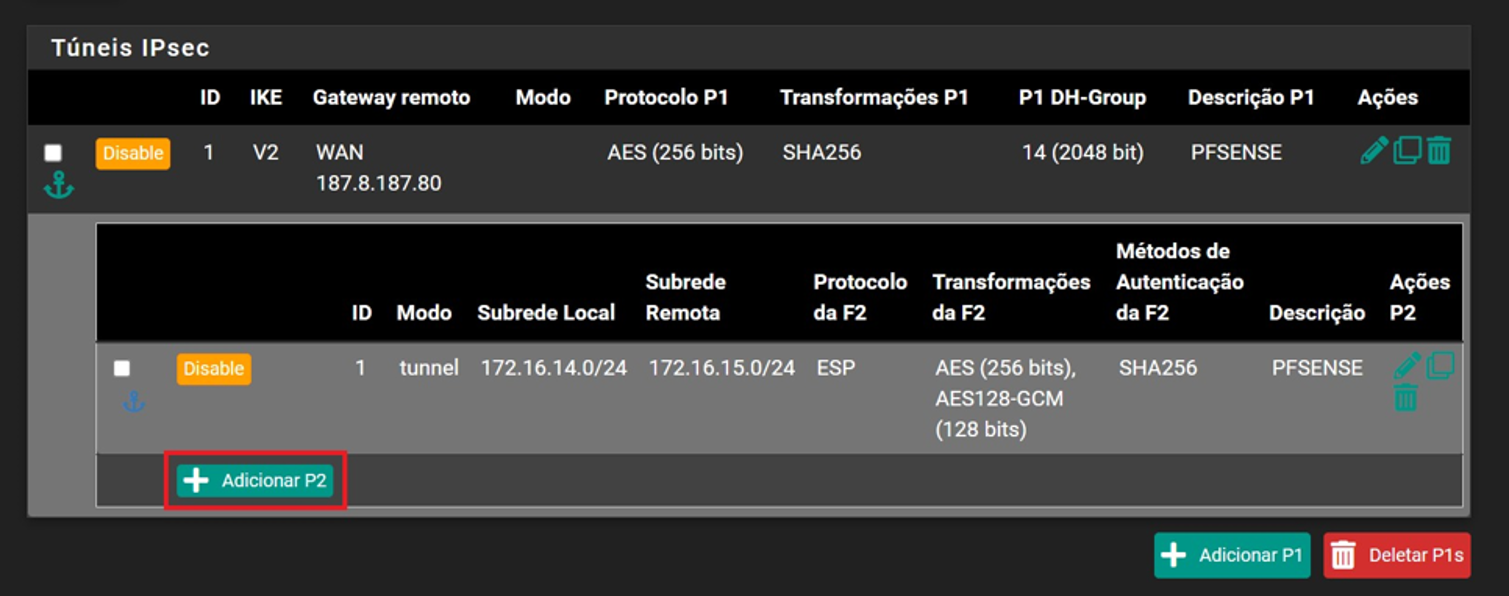
Clicking this option will be directed to other configurations similar to phase 1, but with the extra field “Networks”
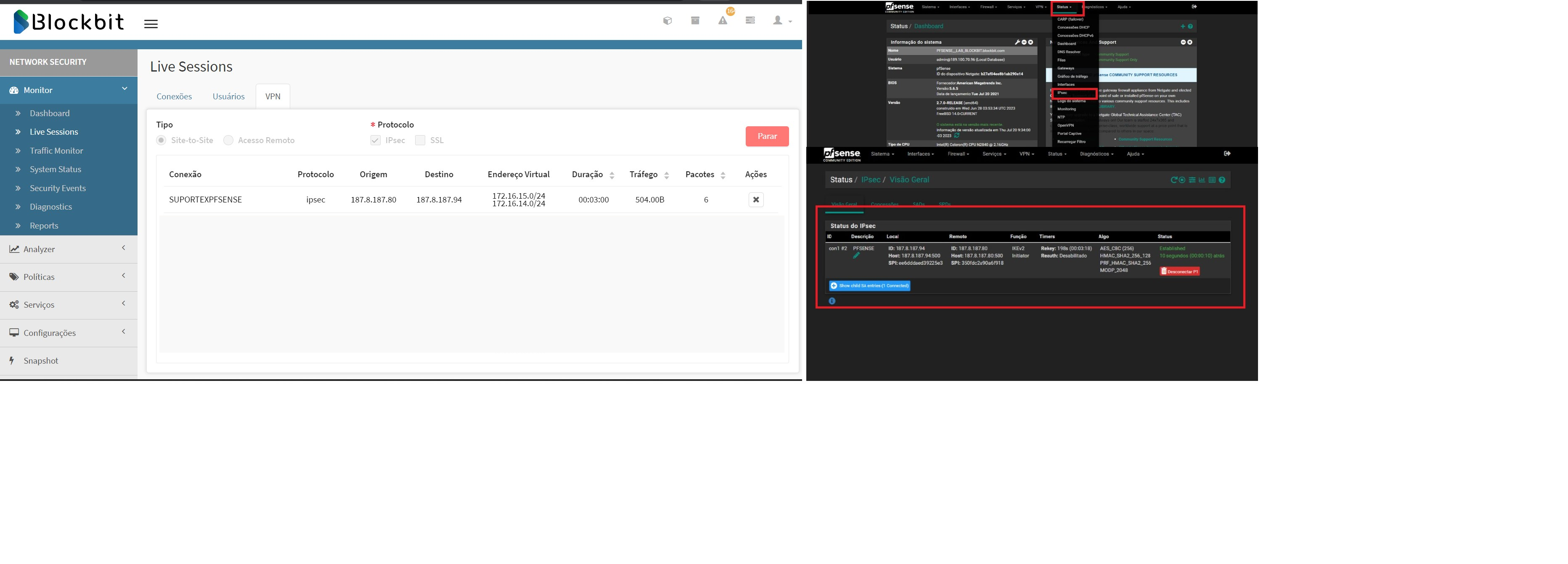
How to validate tunnel status