To access Blockbit NGFW via CLI via Console, follow the steps below:
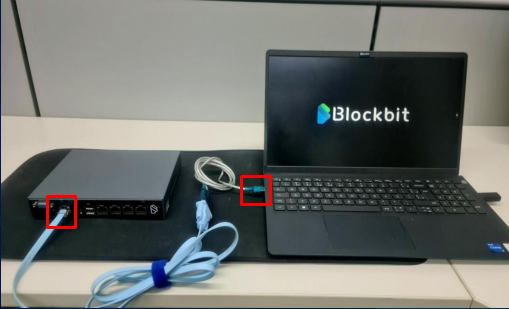
Make sure you have the console cable with the RJ45 tip connected to the NGFW Blockbit console port and the other USB tip connected to your notebook/desktop.
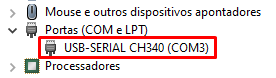
After physical connection, check the device manager for the COM port number assigned to this connection.
Open PuTTY and select the connection type as SERIAL.
In "Serial line", choose the COM port corresponding to the console cable connection and set the speed.
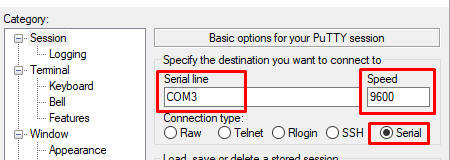
For F series equipment, set speed to 9600.
For the other equipment, the standard speed is 115200.
Enter "admin" and press "Enter" until you see the firewall name, followed by UUID and login option.
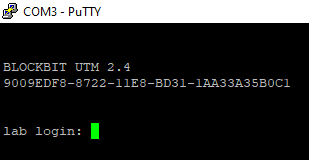
With these steps, the COM port connection to Blockbit NGFW will be established.
Any doubt or assistance, I am entirely at your disposal.