This article aims to inform some good practices of configurations of resources of “DPD” and “Start Tunnel” the IPSEC VPN, so that the service has better efficiency, especially when we have some topology that contains a NGFW Blockbit as a VPN Concentrator connected to various branches, generating several tunnels in the system.
Tunnel Startup Mode
In the IPSEC VPN tunnel settings, we have the field called “Starting the Tunnel”(inside the tab) "General"). This parameter tells us the action that will be taken in a given tunnel once the VPN service is started or when a given tunnel is activated.
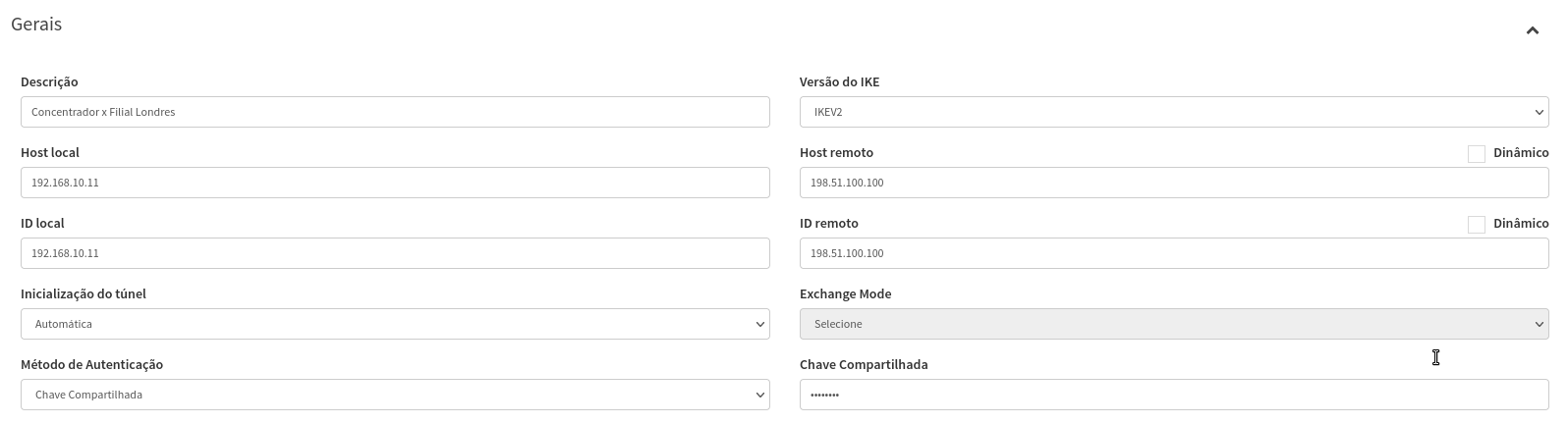
The recommendation is that at one point it is configured as “Automatic”So he can initiate the connection and establish the tunnel.

At the other end the recommendation is that it be configured as “Wait”, so that it raises the configurations in the system and is ready to establish the tunnel as soon as it receives the request from the remote end, which will be configured in “Automatic”.

If both sides have fixed IP for the establishment of VPN, there is no technical recommendation on which side should be as “Wait” And which side should be like “Automatic”. However, we usually leave the concentrator side as “Wait”, since in most cases we will have tunnels with dynamic IPs on the side of some filias, and thus standardize the settings, allowing the concentrator to receive requests for tunnel establishment.
If one side is using dynamic IP, this side you should be configured as “Automatic” and the side that has fixed IP should be configured as “Wait”. The idea is that the dynamic side always bootes the connection.
DPD (Death Peer Detection)
This feature is used to monitor the tunnel, where it is responsible for the tasks of Keep alive, and establishment/reestablishment from every tunnel.
The traffic itself between the networks established within phase 2 of the tunnel is already used to validate that that particular tunnel is online. But in case he stops getting that traffic, DPD It will send packages to the remote end from time to time to validate if the tunnel is still in the air. If he does not receive any response after exceeding the time of time out of the connection, it will delete the system policies and try to renegotiate the tunnel.
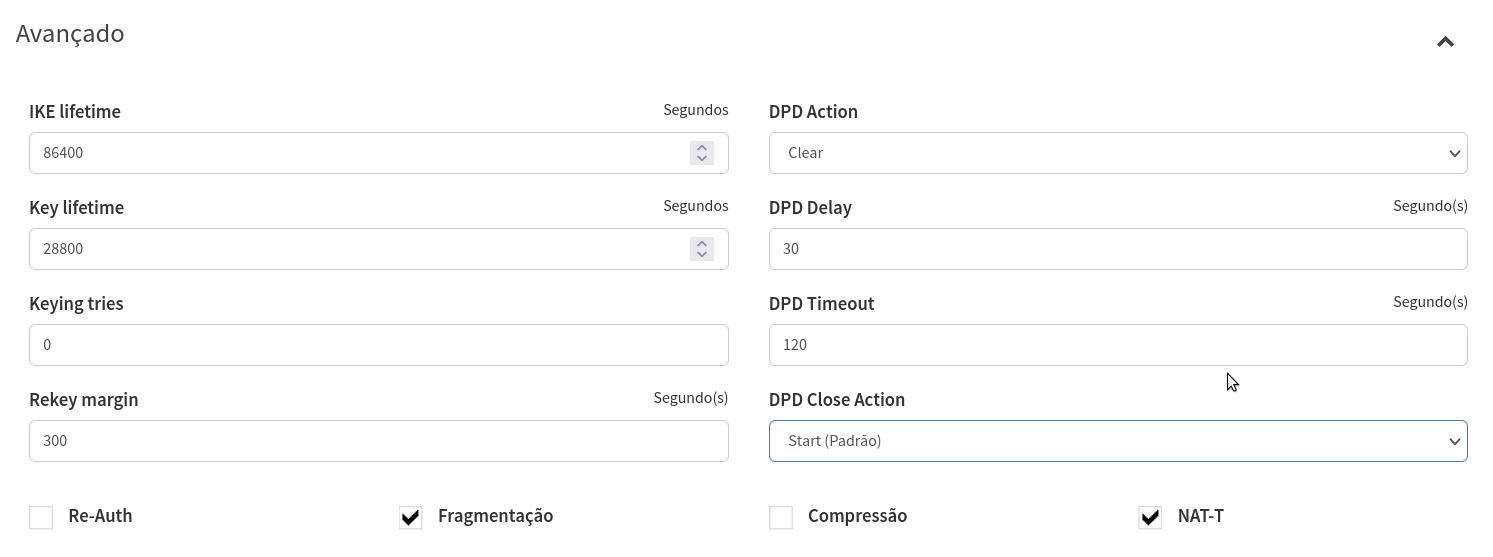
In the IPSEC VPN settings we have 4 DPD related fields (inside the tab Forward).
DPD Delay
Recommended to maintain 30-second pattern

DPD timeout
Recommended to maintain 120 seconds pattern

DPD Action
Action DPD will realize when he identifies that the Remote Peer is no longer responding to packages of Keep alive.
Recommendable that no Concentrator be selected as "Clear", and at the branch office be as "Restart", which will cause the branch to try to reestablish the tunnel when it detects that it has lost communication with the Remote Peer.
Not recommended to leave as "Restart" or "Clear" on both sides.

DPD Close Action
Action DPD will perform when the Remote Peer send a request for tunnel closure.
Recommendable that no Concentrator be selected as "None", and the branch is selected as "Start", which will cause him to try to reestablish the tunnel when the Remote Peer sends the request for tunnel closure.
Not recommended to leave as "Start" or "None" on both sides.

Recommended Settings Summary
Concentrator
Tunnel Initialization
Wait
DPD Close Action
None
DPD Action
Clear
Branches
Tunnel Initialization
Automatic
DPD Close Action
Start(Standard)
DPD Action
Restore