Good afternoon, Mr. Marcos.
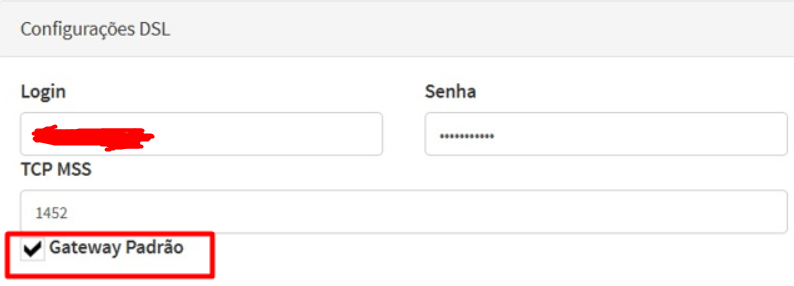
When setting up a PPP link, if it is the only internet link in the firewall, it is essential to check the "gateway default" option in the interface corresponding to the DSL link.
Steps to follow:
- Access the interface where the internet link will be configured, for example, if DSL is on top of ETH0, it will be INTERFACE DSL PPP0
- Configure the PPP user and password and check the "gateway default" option on the DSL interface.
Important:
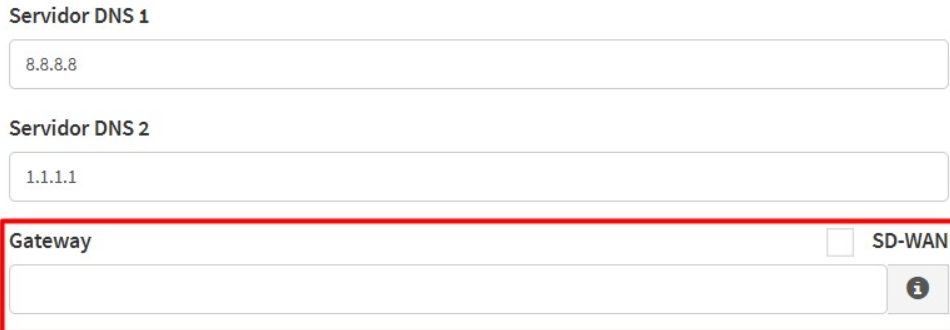
Leave the "gateway default" part blank on the Settings > Network page. This is necessary because gateway has already been defined directly in the interface.
Following these steps, you ensure that the firewall will correctly route internet traffic through the configured link.
Example Prints:
INTERFACE DSL, as you should:
Page, Settings > Network, as you should: